DoomsDay Client
One utility mod for every Minecraft version.
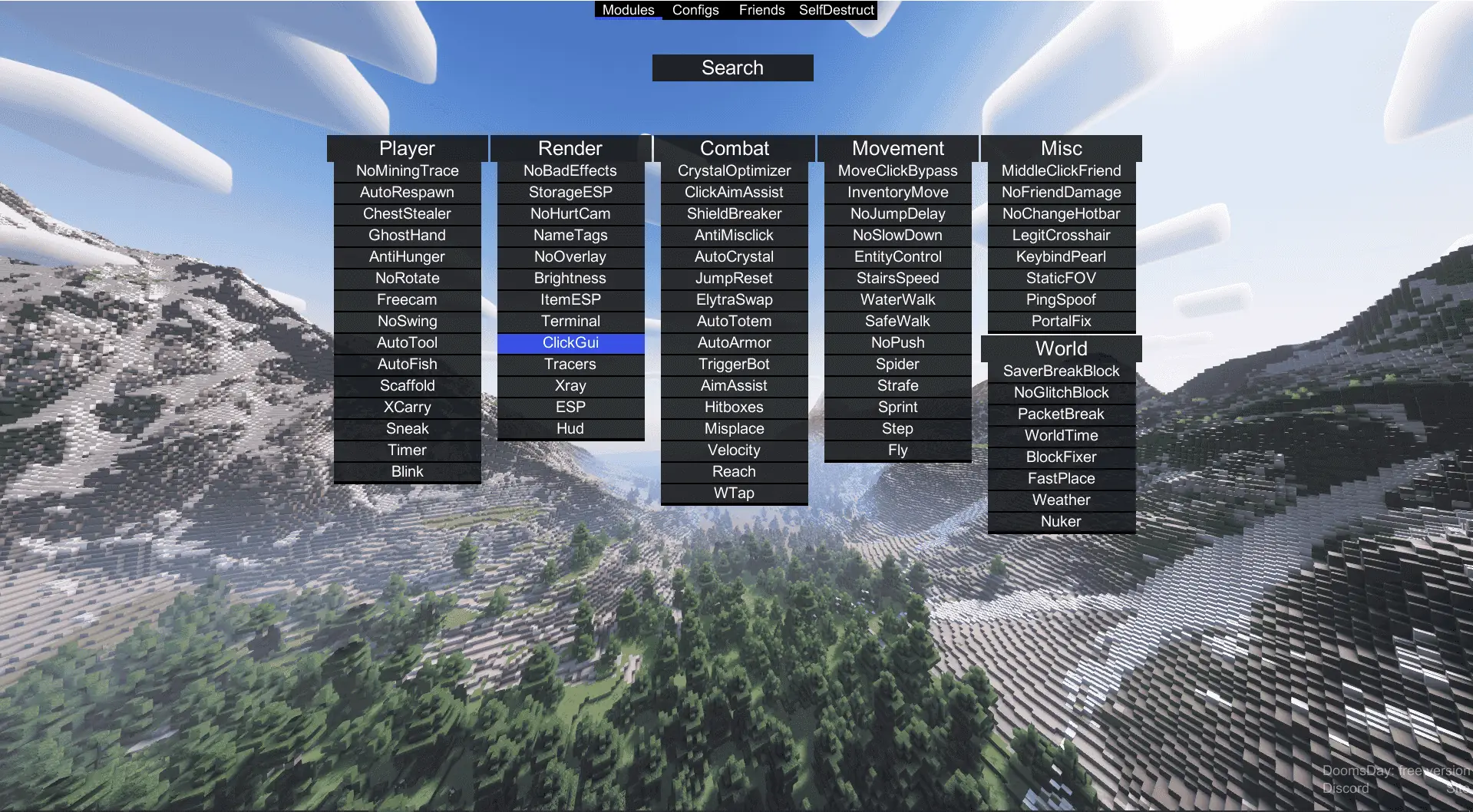
DoomsDay packs a full ghost client, a flexible module system and everyday quality-of-life tools into one lightweight mod.
It runs on virtually every Minecraft version and loader.
Download loader
Here you can choose the name of the file or keep the standard random name.
It should end with .jar
The size of a file will be randomized.

Lightweight and Adaptive
Discreet by Design

Runs on Every Platform
What is DoomsDay Client?
DoomsDay is a free cross-version Minecraft utility mod that combines a ghost client, a powerful module system and everyday quality-of-life tools in a single lightweight JAR file. Instead of installing a separate mod for every launcher, you get one client that loads with Vanilla, Forge, Fabric, Feather, Lunar and LabyMod – from Minecraft 1.8 up to the newest releases.
Every module can be tuned to your playstyle: sliders for reach, delay and speed, dropdowns for activation modes, and freely assignable keybinds. Your configuration is stored in the cloud, so your setup follows you to any PC – nothing is written to your hard drive.
New here? Follow the step-by-step installation guide. Unlike launcher-based clients, DoomsDay needs no separate launcher of its own – it runs as a single JAR alongside Vanilla, Forge, Fabric and the launchers you already use. Want the details? Browse the full module list, read the full module list, or check the frequently asked questions below.
Pricing – Coming Soon
Paid plans may arrive later.
Pricing – Coming Soon
Paid plans may arrive later.
FAQ
Frequently asked questions
Is DoomsDay Safe to Use?
Our Discord community has grown to nearly 30,000 members and the project has been actively maintained for over nine years. Everything is built with stability and player safety as the top priority, which is why thousands of players rely on DoomsDay every day.
How Do I Run the Downloaded JAR?
Make sure Java is installed, then simply double-click the file. If your system opens it with the wrong program, the free JarFix utility usually sorts it out – and our Discord team is happy to help if anything still fails.
How Do I Open the In-Game Menu?
Press Right Shift to bring up the main DoomsDay menu. The built-in terminal opens with the tilde key (~), giving you quick command-line access to every module.
How Can I Reach Support?
Join our Discord server – the support team is there every day and usually answers within minutes. Click here to join the DoomsDay community.
Which Minecraft versions are supported?
DoomsDay covers everything from 1.8 up to the latest Minecraft releases, with dedicated loaders for Vanilla, Forge, Fabric, Feather, Lunar and LabyMod.
Is DoomsDay really free?
Yes – the current version costs nothing. Paid tiers are planned for the future, but the core client will stay free. Follow our Discord or Telegram channel for announcements.
Does it work on Linux or macOS?
Yes. Windows, Linux and macOS are supported out of the box, and Android players can run DoomsDay through PojavLauncher.
Does DoomsDay Leave Traces on My PC?
No. DoomsDay keeps nothing on your hard drive – your configuration lives in the cloud. Updates constantly improve how quietly the client runs on every server.